Article / ESSB station building
A Low-Cost ESSB SDR Station: Radios, Software, Microphones, and Setup
You do not need a large rack of equipment to begin experimenting with ESSB.
A basic SDR, a computer, a microphone, and a decent antenna are enough to get on the air and learn what your voice and audio chain are doing. From there, an amplifier and PureSignal feedback hardware can be added when the station, budget, and operating goals justify them.
“Low cost” depends on the radio and power level selected. A 15-watt or 50-watt station is a very different purchase from a 100-watt SDR feeding a 600-watt amplifier, so I prefer to describe this as a staged path rather than one fixed shopping list.
01 / Start with the radio
Choose the part that makes the station an SDR
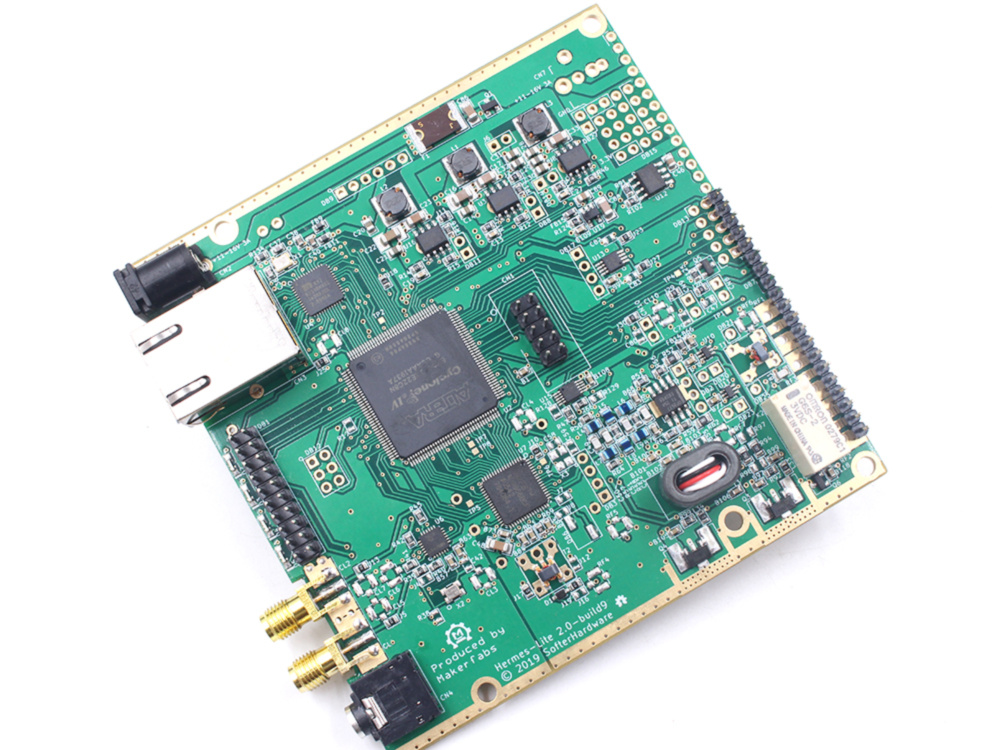
My low-cost starting point is the Hermes Lite 2 from Makerfabs. It is a low-power, open-hardware HF SDR that needs a computer and an antenna system, but that is exactly why it works well as a learning platform. The Makerfabs listing showed $269.00 USD and “In stock” when I checked it on October 10, 2026.
The Brick SDR store offers other HPSDR choices at different price and capability levels. Its listing showed the Brick2 14-bit at €499, Brick2 16-bit at €799, Brick2 50-watt at €859, and Brick3 Angelia at €999 on October 10, 2026. The Brick2 listing at Linoobs is another reference point; check that seller for its current price and availability.
At the other end of the range, Apache Labs lists finished ANAN radios with higher power, dynamic range, and integrated features. The current products page showed the G2E-20 at $1,295 USD preorder, the G2E 100-watt radio at $2,295 USD preorder, and G2 models from $3,795 USD preorder. Check the individual listing before ordering.
02 / Choose your software
The radio and the software must agree
Thetis is the natural software choice for many HPSDR radios, with the panadapter, transmit audio tools, profiles, and PureSignal workflow that make an ESSB station practical. The standard releases are aimed at supported HPSDR hardware; do not assume that every radio works with every build.
For the Hermes Lite 2, use the OpenHPSDR-Thetis builds with Hermes Lite 2 support where appropriate. That distinction matters: install the release that names your radio and follow its setup notes before troubleshooting audio.
03 / Pick a microphone
Start with a dynamic microphone you can learn
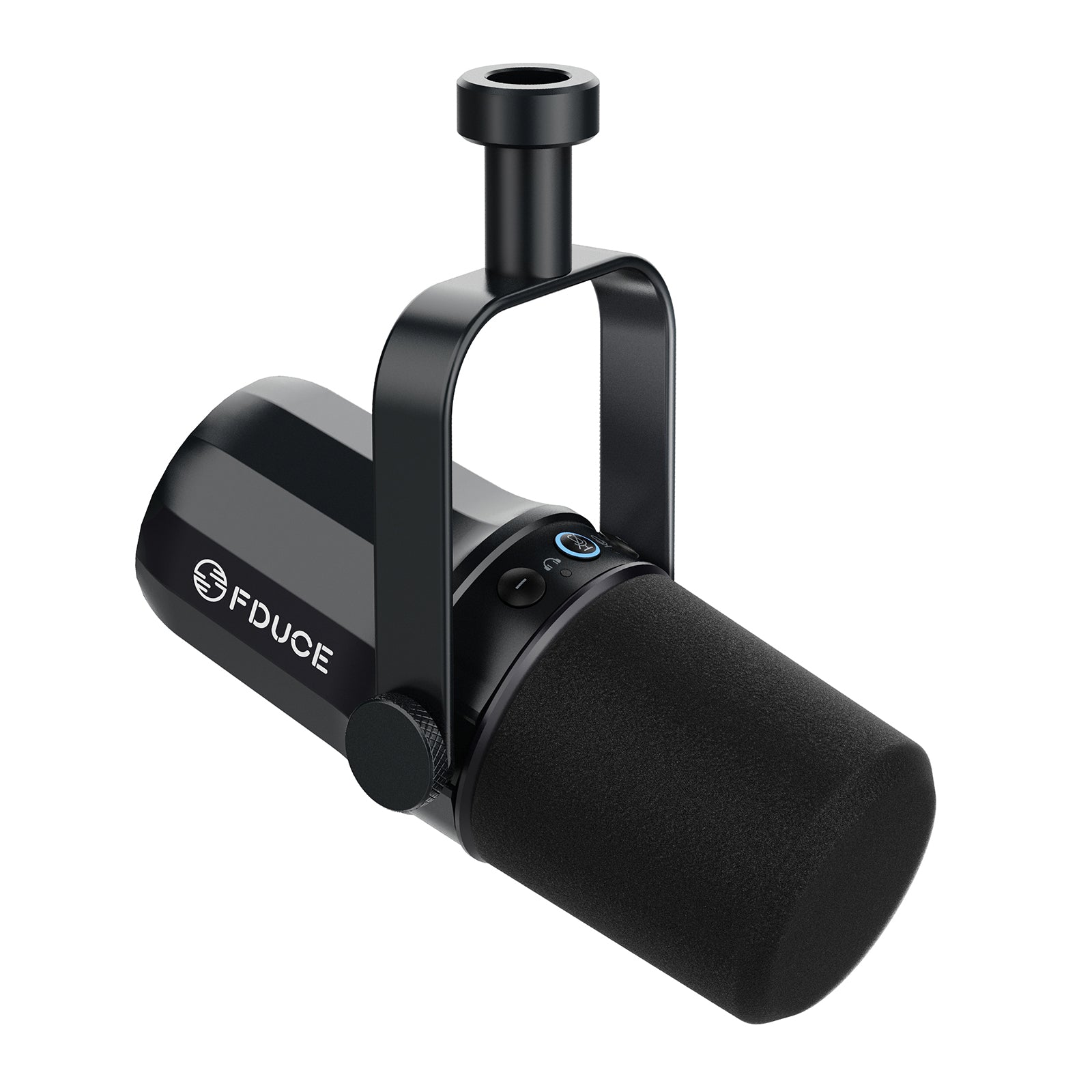
I would start with the FDUCE SL-40 or another affordable dynamic microphone. The official FDUCE listing showed $54.99 USD, reduced from $99.99, and “In stock” on October 10, 2026. Its useful feature here is the choice of USB-C or XLR output. The official SL-40 page is the product reference; the requested Amazon listing may show a different price or availability.
An XLR microphone needs an audio interface or microphone preamp between the microphone and computer; a USB microphone can connect directly to the computer, though you still need to set sensible levels and monitor the result.
Radio and microphone comparison
A few sensible starting points
| Option | What it provides | Price checked October 10, 2026 | Best fit |
|---|---|---|---|
| Hermes Lite 2 | Low-power open HPSDR SDR | $269.00 USD · in stock | Lowest-cost SDR learning path |
| Brick2 / Brick3 | HPSDR radios from 14-bit to 16-bit and 15–50 W listings | €499–€999 · check current listing | More radio choices and output |
| Apache Labs ANAN | Finished higher-capability HPSDR radios | $1,295–$3,795+ preorder listings | Integrated station and higher budget |
| FDUCE SL-40 | Dynamic USB-C and XLR microphone | $54.99 USD · in stock | Direct USB or interface-based audio |
04 / Add an amplifier when you’re ready
Power is an upgrade, not the starting requirement
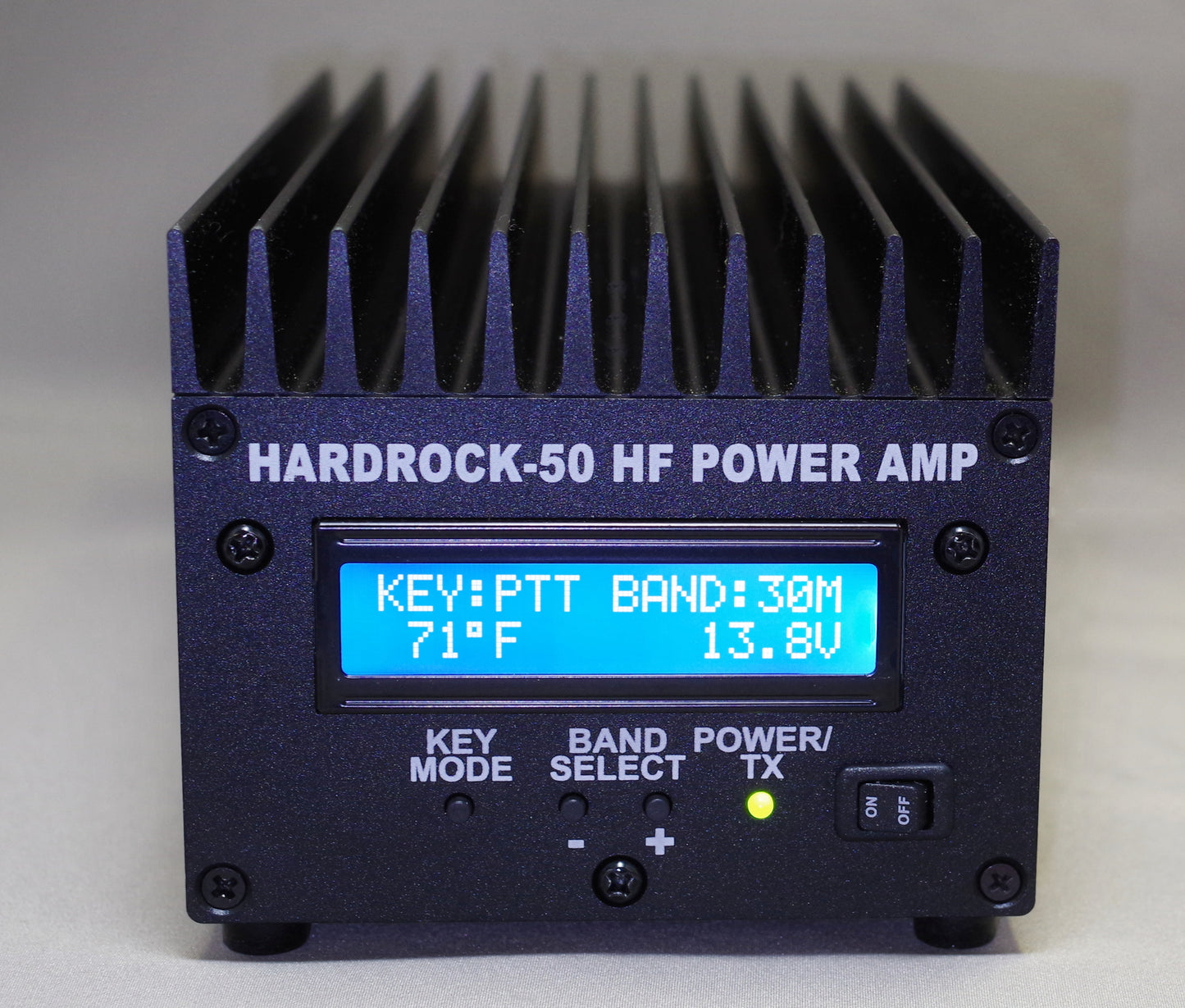
Run the radio barefoot first. Learn the microphone position, the transmit audio controls, the antenna, and the difference between a loud signal and a clean signal. When you need more power and the station wiring can support it, the KM3KM Mercury Lite is an optional 600-watt-class amplifier, while the HobbyPCB HARDROCK-50 is a lower-power kit-style option. Both sellers should be checked for current pricing, lead time, configuration, and availability; I did not find a current displayed price on those requested product pages, so I am not guessing one here.
An amplifier brings more than an RF number. It adds drive-level limits, keying and sequencing, cooling, power supply requirements, feedline losses, and a stronger need to verify the antenna system. Follow the radio and amplifier manuals for connections and levels.
05 / Add a sampler for PureSignal
Feedback hardware belongs after the signal path is understood
PureSignal feedback uses a safe, attenuated sample of the transmitted RF so a compatible radio and software can measure the real output and correct transmitter nonlinearity. The VK-Amps A-55 dB RF sampler is the optional sampler I would look at for this kind of setup. Its listing is the source for current price and availability; when I checked, it required checking the current listing rather than showing a stable public price.
Do not treat the sampler as a generic accessory that can be connected by guesswork. It is part of a compatible PureSignal feedback setup. Follow the manuals for the radio, amplifier, and sampler for RF direction, attenuation, maximum power, connector routing, grounding, and software levels. A wrong sample level can make the feedback system ineffective or unsafe.
06 / A practical starter list
Buy the station in layers
Radio + computer
Hermes Lite 2, Brick SDR, or an Apache Labs ANAN matched to your budget, plus a computer with the supported software build.
Microphone + interface
FDUCE SL-40 over USB or XLR. Add headphones so you can hear processing changes.
Antenna system
A resonant or well-matched antenna, feedline, grounding, and an SWR measurement method. The antenna is part of the station, not an afterthought.
Amplifier + sampler
Mercury Lite or HARDROCK-50 when needed, then the VK-Amps sampler for a compatible PureSignal feedback path.
07 / Set it up in stages
Keep each change measurable
- Make the barefoot radio work. Confirm receive audio, PTT, transmit power, SWR, and a stable computer connection before touching EQ.
- Set a clean microphone level. Keep the input out of clipping and listen to a monitor receiver or recording. Move the microphone before reaching for more gain.
- Shape the voice carefully. Use modest EQ and compression, then ask for on-air reports. ESSB audio should be adjusted for the voice, microphone, band conditions, and occupied bandwidth.
- Add power with a plan. Set the amplifier drive, keying, cooling, and protection before increasing output.
- Calibrate PureSignal last. Route and attenuate the sample exactly as the manuals describe, then verify that feedback improves linearity without creating a new level problem.
08 / Operating responsibly
Clean audio is still radio operation
ESSB audio should be adjusted carefully. Follow your operator license, applicable band rules, band plans, power limits, and good amateur practice. There is no universal bandwidth setting that is right for every band, radio, antenna, voice, or conversation. Listen to the transmitted result, leave room for other operators, and reduce bandwidth or power when conditions call for it.